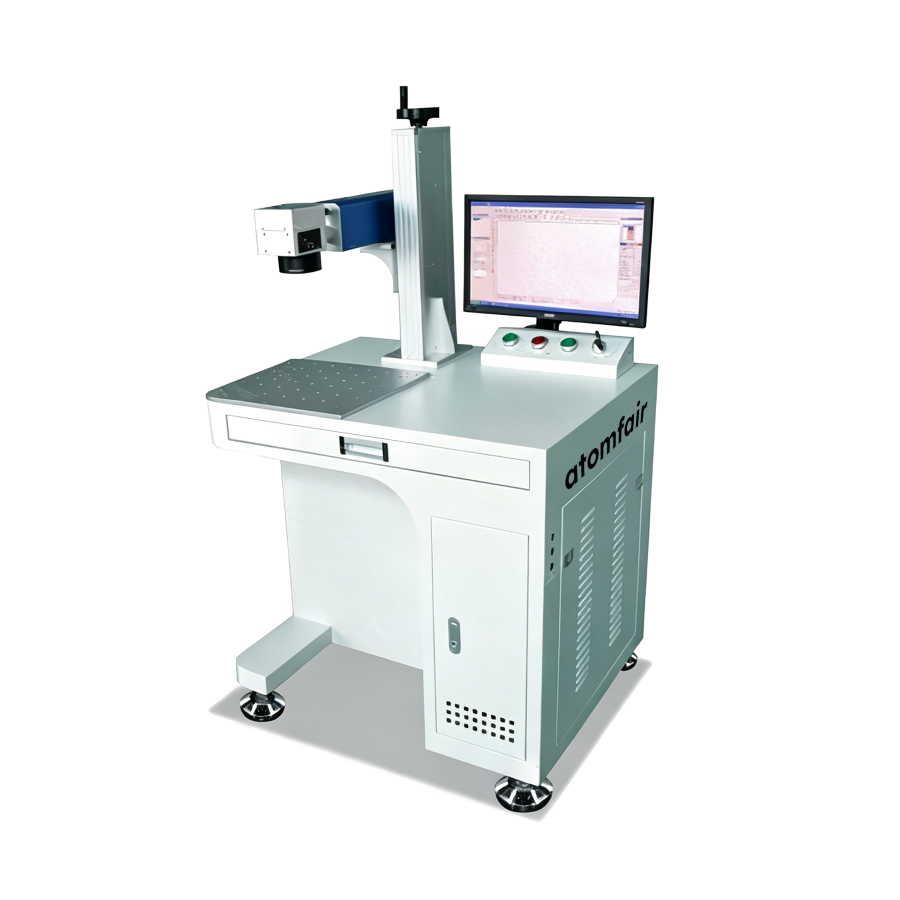
ATOMFAIR® ATOMFAIR-FLM-920 MARKING MACHINERESEARCH GRADE MATERIAL
|
|||||||||||||||||||||||||||||||||||||||||||
|
|||||||||||||||||||||||||||||||||||||||||||
This fiber laser marking machine must be operated within a controlled environment that is clean, dry, and free from flammable materials. Proper electrical grounding and laser safety enclosures are required to mitigate risks of electric shock and laser radiation exposure.
- Environmental Conditions: Operate the equipment in a dust-free and moisture-free environment with ambient temperature between 10°C and 40°C to maintain stable performance.
- Electrical Safety: Connect the machine to a grounded AC power supply within 90–260 V and ensure the circuit can handle up to 500 W without overloading.
- Laser Safety: Use appropriate laser safety eyewear rated for 1060 nm wavelength and install interlocked enclosures to prevent accidental exposure during operation.
- Cooling Requirements: Maintain unobstructed airflow around the built-in air cooling vents to prevent overheating during extended marking sessions.
Follow these steps to safely set up and begin marking with the fiber laser system. Proper initialization ensures operator safety and optimal marking quality.
Required Equipment: Laser safety eyewear rated for 1060 nm, Computer with Windows 98/2000/XP and USB port, Grounded power cable (90–260 V AC), Standard USB interface cable
- Inspect the Machine and Workspace
Inspect the machine for visible damage and verify that the workspace is clean, dry, and free of flammable materials. - Connect Power and Grounding
Connect the machine to a grounded AC power outlet using the provided cable and ensure the main power switch is off before plugging in. - Attach Laser Safety Enclosure
Install the laser safety enclosure or interlock system around the marking area and confirm it is properly engaged. - Boot the Computer and Launch Software
Boot the computer, connect it via USB to the machine, and launch the marking control software compatible with Windows. - Configure Marking Parameters
Configure the marking speed, power, and file format for your material, then select either static or flying marking mode. - Perform a Test Mark on Sample Material
Perform a test mark on a sample piece to verify alignment, depth, and quality before proceeding to production runs. - Begin Production Marking
Begin production marking while monitoring the system for any irregularities and ensuring the laser safety enclosure remains closed.
How does the 100,000-hour fiber laser lifespan of the Atomfair-FLM-920 affect total cost of ownership compared to consumable-based marking systems?
The Atomfair-FLM-920's fiber laser exceeds 100,000 hours of operational life, eliminating all consumable costs such as ink, ribbons, or solvents. This results in a drastically lower total cost of ownership over the machine's lifetime, as the only recurring costs are electricity and periodic cleaning – a direct economic advantage over consumable-based systems.
Can the Atomfair-FLM-920 be integrated with modern Windows-based production control systems?
The Atomfair-FLM-920 is compatible only with Windows 98, 2000, and XP operating systems as specified in its technical data. Integrating into a factory running Windows 10 or 11 requires a dedicated PC on one of the supported legacy OS versions to host the marking software, which may add a compatibility layer to existing network infrastructure.
What electrical and cooling infrastructure is required for operating the Atomfair-FLM-920?
The Atomfair-FLM-920 requires a single-phase 90–260V AC power supply at 50/60Hz with a maximum power consumption of 500W. It uses built-in air cooling, eliminating any need for water chillers or compressed air lines, and its compact integrated design allows straightforward placement on standard lab benches or production lines.
The Atomfair-FLM-920 Fiber Laser Marking Machine offers a 100,000-hour fiber laser life and no consumable operation for high-throughput battery and supercapacitor shell marking, but requires legacy Windows OS (Win98/2000/XP) and is limited to a maximum marking depth of 0.3 mm.
Positive
- 100,000-hour fiber laser life: Rated laser service life exceeds 100,000 operating hours, minimizing long-term replacement costs and downtime.
- No consumables, low operating cost: High electro-optical conversion efficiency eliminates the need for external consumables, reducing ongoing operational expenses.
Trade-offs
- Legacy Windows OS requirement: The control software runs only on Windows 98, 2000, or XP, which may require dedicated older hardware or virtualized environments for integration.
- Limited marking depth: Maximum marking depth is 0.3 mm, restricting the system to surface marking applications rather than deep engraving.
Every advanced material, component, equipment, and instrument in our catalog is backed by rigorous testing. We maintain strict internal quality management frameworks and align with CE conformity metrics to deliver transparent, reproducible performance data via our public open-science repository.
To request raw batch performance data, submit formal vendor registration paperwork, or execute a fast-turnaround R&D manufacturing loop, contact us at inquiry@atomfair.com.
Item is dispatched under the Atomfair Shipping & Delivery Framework (Free worldwide shipping on orders over $59 USD excl. heavy equipment). Return is governed by the Atomfair Return & Refund Policy (7-day technical return window).